No apps, no codes, no fuss – just tap your YubiKey and you’re safely in.
Our most popular YubiKey option
Government grade security
The gold standard in biometric security
Exceptional security made simple
Cryptographic protection for your servers
Trusted NHS remote access and support that gives you the freedom to work where suits you, without compromising on security.
Support NHS Computers Securely.
Access Your Computer Securely.
Trusted IT and communications support from our family to yours – always friendly, always on hand.
Find the best security first IT support for your growing business.
Find the right communications support for your business from phones to cabling.
An Away from My Desk Technical Guide
Some issues you may experience when using Away From My Desk can be caused by cookies and cache in your browser. This guide will show you how to clear cookies and cache in different browsers. Please ensure you use the correct steps depending on which browser you are using.
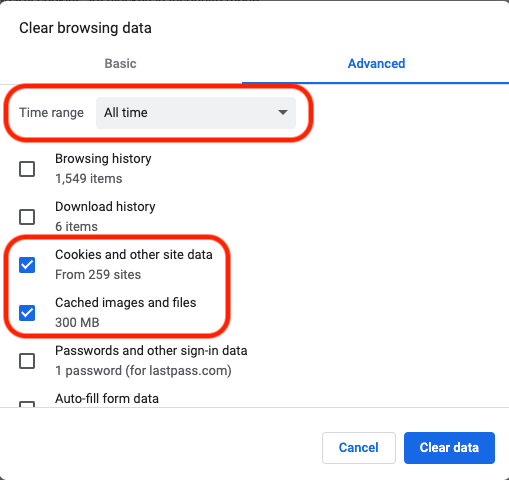
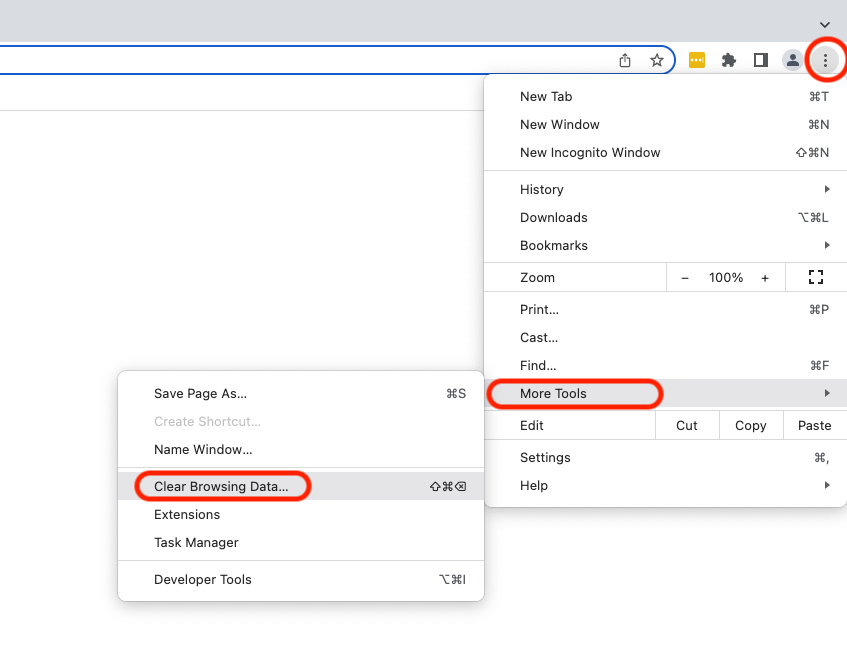
When in Google Chrome, click on the three dots in the top right-hand side, then click More Tools, then clear Browsing Data.

Then change the ‘Time Range’ to ‘All Time’, ensure the “Cookies and other site data” and ‘Cached images and files’ options are ticked and the ‘Browsing History’ is unticked. Then click ‘Clear Data’.

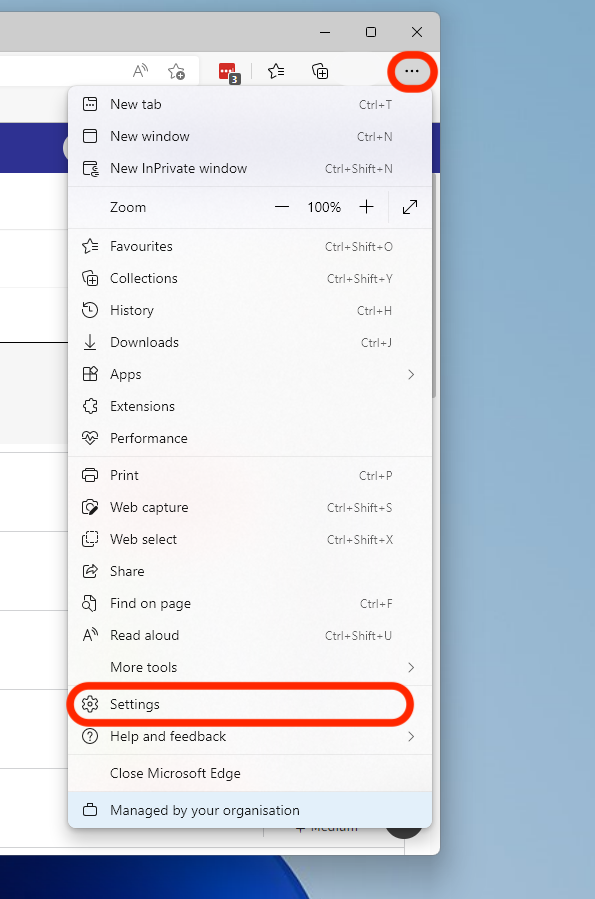
When in Microsoft Edge, click on the three dots in the top right-hand side and then select ‘Settings’.

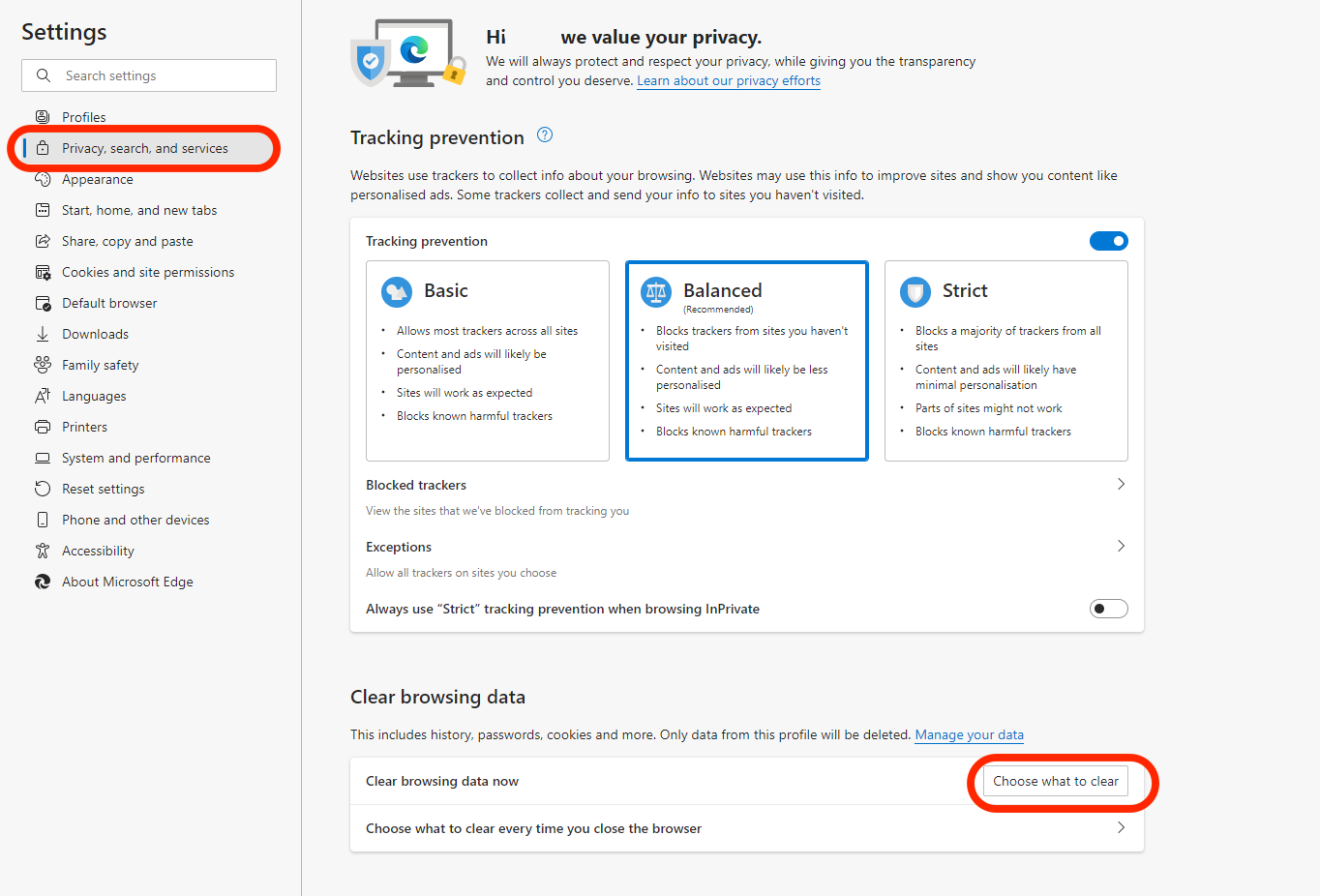
Select ‘Privacy, Search and Services’ from the menu on the left hand side, then select ‘Choose What To Clear’ under ‘Clear Browsing Data’.

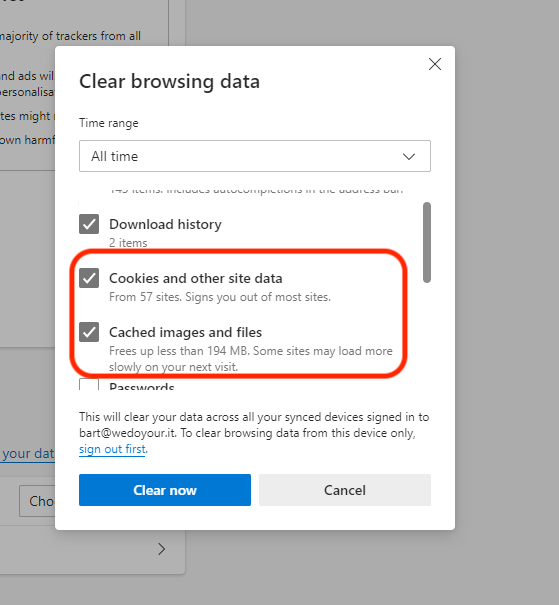
Ensure the boxes next to ‘Cookies and other site data’ and ‘Cached Images and Files’ are ticked. Then click ‘clear now’.

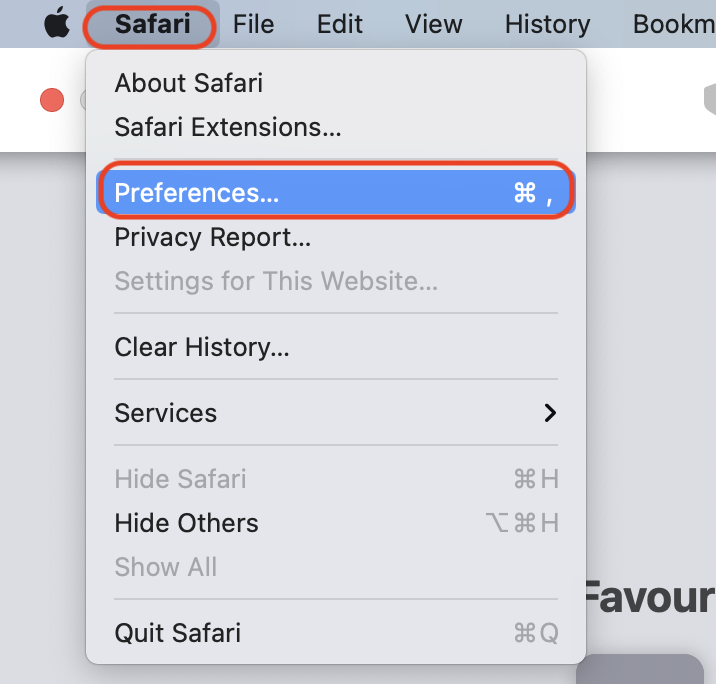
When you are in Safari, click the ‘Safari’ menu in the top left-hand side of your screen, then select ‘Preferences’

When the window opens, click on the ‘Privacy’ tab and then ‘Manage Website Data’

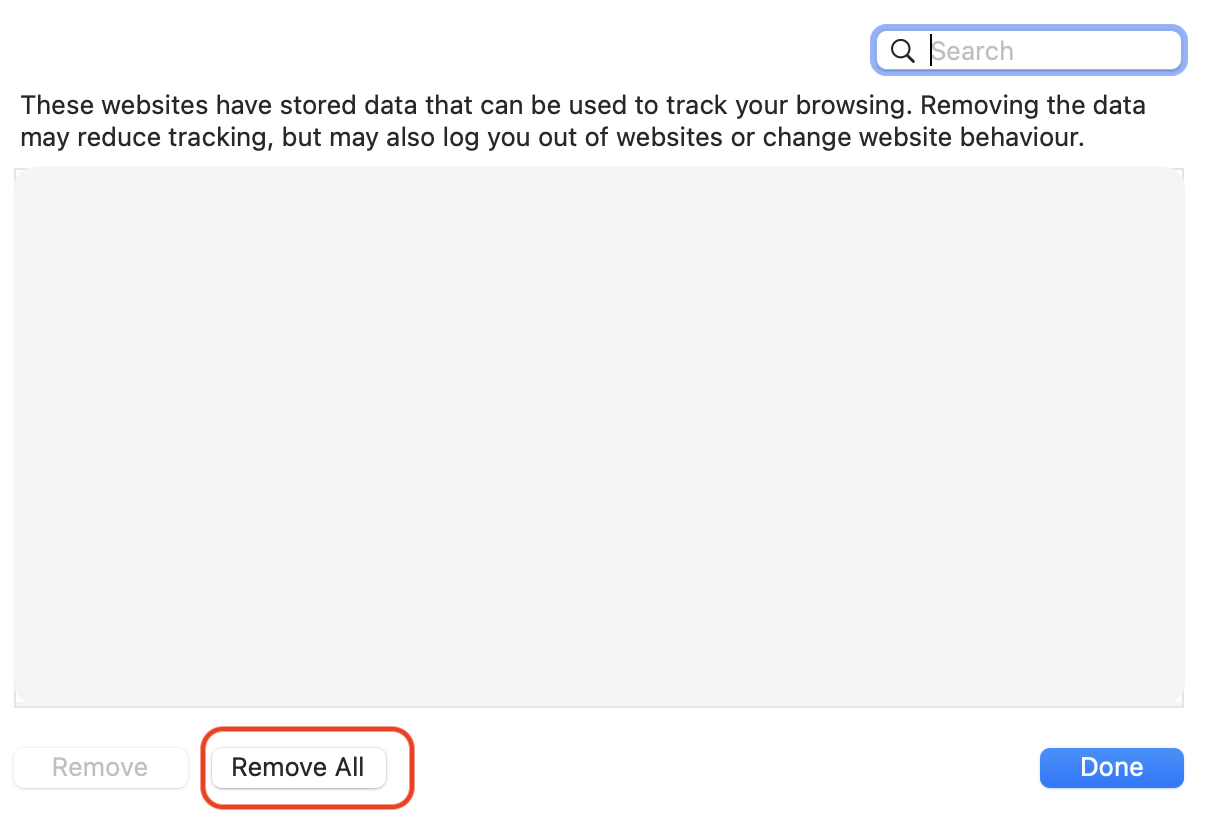
A box like this should appear with a list of sites. Click ‘Remove All’.

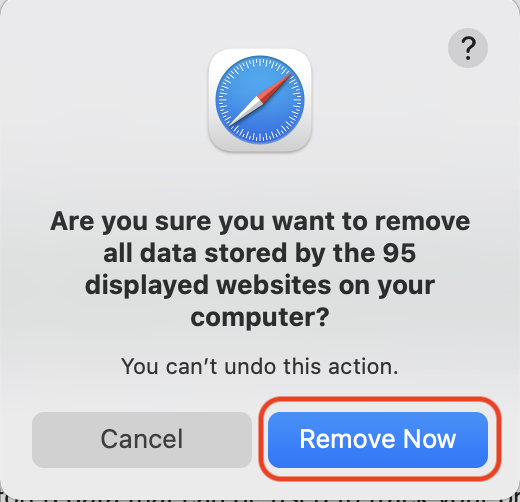
When the next box appears, Click ‘Remove Now’.

If you are not able to resolve the issue you are experiencing from this guide or would just like some guidance, please contact our tech team.
Phone us on 0117 325 0060 or click here to send us a message.